Claude Research: How to Run Deep, Cited AI Research
Quick answer: Claude Research is a paid-plan feature that performs a multi-step investigation across the web and, when connected, selected internal sources such as Gmail, Google Calendar, and Google Docs. It is best for questions that require several searches, comparison of conflicting evidence, and a cited report—not for a single quick fact.
What is Claude Research?
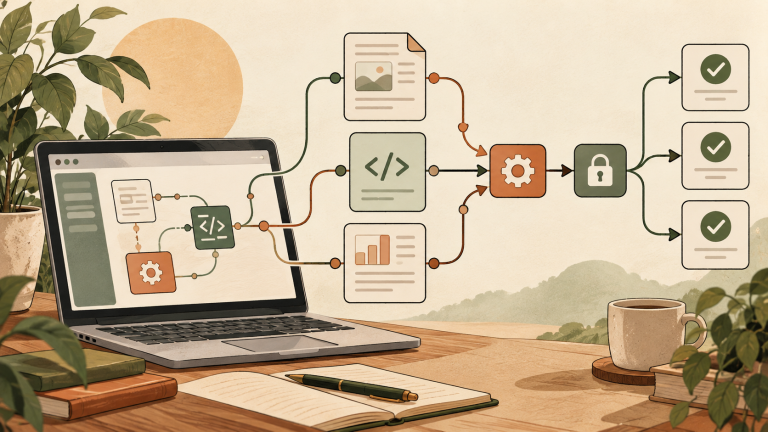
Research is Anthropic’s agentic investigation mode for Claude. Instead of making one web search, Claude decides what it needs to investigate, runs multiple searches that build on one another, explores different angles, and returns a longer answer with citations that you can check.
As of the verification date, Anthropic lists Research for Claude Pro, Max, Team, and Enterprise users on the web, Claude Desktop, and Claude Mobile. Web search must be enabled for Research to work.
Claude Research vs. web search vs. extended thinking
| Mode | Best for | Typical process |
|---|---|---|
| Web search | Current facts and a focused question | Searches the web and can fetch a supplied URL |
| Extended thinking | Complex reasoning using available context | Spends more effort reasoning before answering |
| Research | Broad, evidence-heavy investigation | Plans and performs multiple searches, then synthesizes cited findings |
A practical rule: use web search for “What changed in this policy?” and Research for “Compare the policy, implementation, costs, and reported outcomes across several organizations.”
How to turn on Claude Research
- Open Claude on the web, desktop, or mobile app using an eligible paid plan.
- Make sure web search is enabled.
- Select the + button at the lower left of the chat interface.
- Select Research. A blue indicator should appear.
- Enter your question with the desired scope, date range, geography, and output format.
Select the Research indicator again when you want to turn the mode off.
A prompt template that produces a useful report
Research the current U.S. market for [topic] as of [date].

Goal: [decision you need to make]
Scope: [industries, states, audience, or competitors]
Questions to answer:
1. [question]
2. [question]
3. [question]

Prioritize primary sources and recent data. Separate verified facts from inference. Note disagreements or missing evidence. Deliver a one-paragraph executive summary, a comparison table, detailed findings with citations, and five recommended next steps.
Four high-value use cases
1. Compare software for a U.S. team
Ask Claude to compare current plan pages, security documentation, accessibility information, and integration support. Specify team size and required features so the result does not become a generic feature list.
2. Prepare for a client or vendor meeting
Research the company, recent announcements, product positioning, competitors, and relevant market changes. Verify important claims directly in the cited filings, press releases, or official documentation.
3. Build a literature or policy landscape
Define a date range and inclusion criteria. Ask Claude to separate peer-reviewed research, government guidance, industry reports, and commentary. Research can accelerate discovery, but it does not replace a formal systematic-review process.
4. Combine public information with connected work context
When authorized integrations are connected, Claude can research across the web and relevant internal context. Anthropic specifically mentions sources such as Gmail, Google Calendar, and Google Docs. State which source to use if Claude overlooks it.
How to evaluate the citations
- Open the source: Confirm that the cited page exists and says what Claude claims.
- Check the date: A reliable source can still be outdated for pricing, product limits, or laws.
- Prefer the original: Use a government page, research paper, filing, or vendor documentation rather than a summary when possible.
- Separate fact and inference: A conclusion assembled from several facts should be labeled as analysis.
- Look for missing perspectives: Ask which credible counterarguments or datasets were not found.
Mobile connector limitation, checked October 15, 2026: Anthropic’s current Research guide says a run started on mobile searches the web only and silently skips connected tools. Start the run on web or desktop when internal connected sources are required. Local MCP servers in Claude Desktop are not available to Research. Official Research guide.
Research limitations and privacy
Research can take minutes and uses more resources than a normal answer. Paid-plan usage limits still apply. A cited response can also contain errors, weak sources, or an incorrect interpretation, so citation presence alone is not proof of accuracy.
For workplace use, only connect accounts and upload documents you are authorized to use. Review your organization’s AI, privacy, retention, and client-confidentiality policies before asking Claude to search internal information.
Troubleshooting
Research is enabled but Claude answers too quickly
Use explicit wording such as “Please use Research to investigate…” and provide several subquestions. A narrow factual question may not require a long research process.
Claude ignores connected documents
Ask it to pull relevant context from the named source, such as Google Docs or Gmail, and confirm that the integration is connected and permitted for the account.
The report is broad but not actionable
Add a decision, audience, geography, budget, and deadline. Request an evidence table with columns for claim, source, date, confidence, and implication.
FAQ
Is Claude Research available on the free plan?
No. Anthropic currently lists it for Pro, Max, Team, and Enterprise plans.
Does Research search my Gmail automatically?
It can use selected connected sources when the relevant integration and permissions are enabled. Tell Claude which internal source to consult and follow your organization’s policies.
Is Research the same as web search?
No. Web search is suited to focused current-information questions. Research conducts a broader, multi-step investigation and synthesizes a cited report.
Can I trust every citation?
No. Open important sources, check dates, and confirm that each source supports the claim. Use extra care for legal, medical, financial, and business-critical decisions.