YouTube Thumbnail Size 2026: Resolution, Format and Safe Design Guide
Last reviewed: August 29, 2026
Quick answer: For a standard YouTube video, create a 16:9 thumbnail at 3840×2160 px when your workflow can handle it, or another clean 16:9 size with at least 640 px width. Export as JPG or PNG, keep text and faces away from the edges, and check the image at phone size. YouTube’s current help page recommends 3840×2160 for video thumbnails and 2160×3840 for Shorts, but the image is displayed at many smaller sizes, so clarity matters more than filling every pixel with detail.
YouTube thumbnail sizes at a glance
| Use | Recommended canvas | Ratio | Practical note |
|---|---|---|---|
| Standard video | 3840×2160 px | 16:9 | Use a sharp source and simple layout |
| Standard lightweight workflow | 1920×1080 px | 16:9 | Practical when 4K assets are unnecessary |
| Shorts thumbnail master | 2160×3840 px | 9:16 | Expect cropping on some surfaces |
| Minimum video width | 640 px | 16:9 preferred | A limit, not a quality target |
The 1920×1080 option above is a practical production choice, not YouTube’s current top recommendation. It retains 16:9 geometry, is easy to create in common editors and is sufficient for many channels. If your photography and design assets are already high resolution, the 3840×2160 official recommendation gives YouTube a larger source.
What changed from the familiar 1280×720 advice?
For years, many guides repeated 1280×720. YouTube’s current custom-thumbnail help now recommends 3840×2160 for videos and 2160×3840 for Shorts. That is why an updated guide should not present 1280×720 as the only official answer.
This does not mean every creator must rebuild an entire template library immediately. A clean 16:9 thumbnail can still display well because YouTube generates delivery versions for different devices. The important distinction is between the platform’s current recommendation and a practical canvas that remains readable after resizing.
File format and size rules
YouTube accepts common image formats including JPG and PNG. The official upload limits depend on where the thumbnail is uploaded: the current help page lists 2 MB for video thumbnails uploaded on mobile, 10 MB for podcast thumbnails on mobile, and up to 50 MB on desktop for video, Shorts and podcast thumbnails.
| Format | Best for | Trade-off |
|---|---|---|
| JPG | Photos and gradients | Smaller files; compression can soften text |
| PNG | Logos, flat graphics and crisp text | Can be much larger |
Export one version, inspect it at 100%, then check the file size. If a PNG is too large, convert photo-heavy artwork to a high-quality JPG instead of repeatedly compressing the same file.
Build a thumbnail that survives small screens
Use one visual idea
A thumbnail is not a miniature poster. Choose one subject, one emotion or one contrast. Competing faces, screenshots, logos, arrows and paragraphs become noise when the image is shown in search results or a mobile feed.
Keep text short
Use a few words that add context rather than repeating the full title. Check the text at approximately 10–15% of the editing canvas size. If it cannot be read without zooming, increase the type size or remove words.
Protect the edges
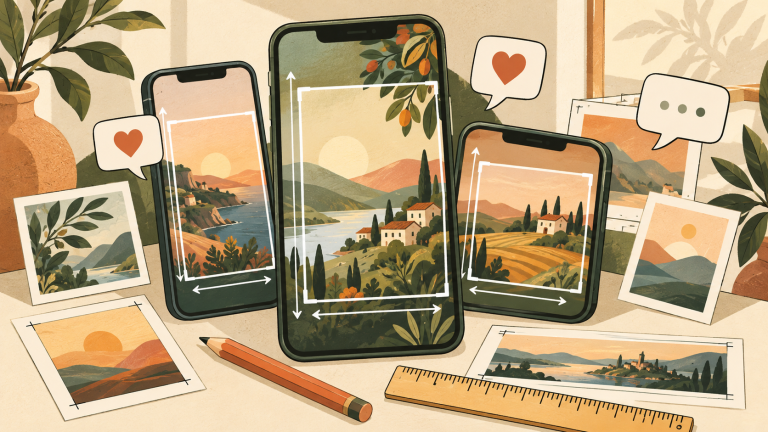
Keep faces, product details and essential text inside a central safe composition. YouTube surfaces can add duration badges, menus and different crops. There is no single pixel-safe template for every device, language and experiment, so generous spacing is more reliable than placing important content against a corner.
Design for contrast, not saturation alone
Separate the subject from the background using brightness, color and shape. A bright subject on a bright background still disappears. Test the thumbnail in grayscale and at small size to check whether the hierarchy remains clear.
Shorts thumbnails need a separate plan
A vertical Shorts thumbnail may appear differently across the Shorts feed, channel pages and other YouTube surfaces. Start with the official vertical canvas, but place the main subject and short text near the visual center so a square or alternative crop does not remove the message.
Do not assume the first frame of a Short is a complete thumbnail strategy. If custom thumbnail controls are available for your account and upload method, test the final selected frame on the channel page as well as mobile.
Canva and Photoshop workflow
- Create a 16:9 canvas, ideally 3840×2160 when the assets support it.
- Place the original image instead of a screenshot from social media.
- Remove or soften background detail behind text.
- Use one headline with strong contrast and enough margin.
- Preview at phone size and in grayscale.
- Export JPG for photo-heavy work or PNG for flat graphics.
- Check the exported dimensions, file size and visible sharpness.
- Upload, then inspect the real thumbnail on more than one surface.
Why a thumbnail looks blurry
| Cause | Fix |
|---|---|
| Small or enlarged source image | Return to the original photo or artwork |
| Repeated JPG saves | Export once from the master file |
| Thin text and fine outlines | Use heavier type and simpler shapes |
| Wrong aspect ratio | Build on a 16:9 canvas for standard videos |
| Upload still processing or cached | Wait, refresh and compare the final public page |
| Looks sharp only when enlarged | Review at actual feed size |
Thumbnail policy and testing
Technical correctness does not override YouTube’s Community Guidelines. Misleading or prohibited thumbnail imagery can be removed or restricted. The image should accurately represent the video and avoid deceptive claims.
YouTube also provides title and thumbnail testing for eligible creators. When testing, compare meaningful alternatives—different visual ideas or wording—not tiny color changes. Evaluate watch-time quality as well as clicks; a thumbnail that attracts the wrong audience can produce a high click-through rate but weak viewing satisfaction.
Pre-upload checklist
- 16:9 canvas for a standard video
- High-resolution original assets
- JPG or PNG within the applicable upload limit
- One clear subject and short supporting text
- Important elements away from edges and duration badge areas
- Readable at phone size
- No accidental private information in screenshots
- Image accurately represents the video
- Final public thumbnail checked after upload
Frequently asked questions
Is 1280×720 still allowed?
YouTube’s current help page recommends a larger 3840×2160 source for video thumbnails. A 1280×720 image has the correct 16:9 shape and may upload, but it should no longer be described as the only current recommendation.
Should I use JPG or PNG?
Use JPG for photography and complex gradients when file size matters. Use PNG for flat graphics, logos and text when it remains within the applicable limit.
Does a 4K thumbnail improve ranking?
Resolution alone is not an SEO shortcut. A larger source can preserve detail, but relevance, clarity, accurate representation and the viewer response matter more than simply exporting more pixels.
How much text should a thumbnail contain?
There is no fixed word limit. Use the fewest words needed to add meaning, and verify that they remain readable in a small mobile preview.
Bottom line
Use a clean 16:9 master for standard YouTube videos, follow the current official recommendation when practical, and design for the small rendered thumbnail rather than the large editing canvas. One strong idea, short text, clear contrast and safe spacing will usually improve real-world clarity more than extra decoration.