Instagram Image Sizes 2026: 1080×1440, Feed & Reels
Quick answer: Instagram supports feed-photo ratios from 1.91:1 landscape through 3:4 portrait. Its help page says original resolution is retained for supported photos 320–1080 pixels wide; uploading at least 1080 pixels wide is the recommendation for a full-width 1080-pixel result, not the minimum accepted width. For a full-height 3:4 portrait post, use 1080 × 1440 pixels. The familiar 1080 × 1350 (4:5) canvas remains a dependable portrait format, while Stories and Reels should normally use 1080 × 1920 (9:16).
Last verified: September 14, 2026.
Instagram image sizes at a glance
| Placement | Recommended size | Aspect ratio | Practical note |
|---|---|---|---|
| Portrait feed photo | 1080 × 1440 | 3:4 | Tallest currently supported feed-photo ratio |
| Classic portrait feed post | 1080 × 1350 | 4:5 | Reliable for older templates and cross-platform reuse |
| Square feed post | 1080 × 1080 | 1:1 | Simple grid-friendly format |
| Landscape feed post | 1080 × 566 | 1.91:1 | Useful for wide scenes but occupies less vertical feed space |
| Story | 1080 × 1920 | 9:16 | Keep important content away from interface overlays |
| Reel | 1080 × 1920 | 9:16 | Use a separate cover composition for profile and feed crops |
Is 1080 × 1440 an Instagram size?
Yes. A 1080 × 1440 image has a 3:4 aspect ratio, which sits at the portrait end of Instagram’s current supported feed-photo range. Instagram’s help recommends uploading at least 1080 pixels wide at 1.91:1 through 3:4 for the full-width result. Supported smaller images are not automatically invalid. That makes 1080 × 1440 a direct, high-quality 3:4 export.
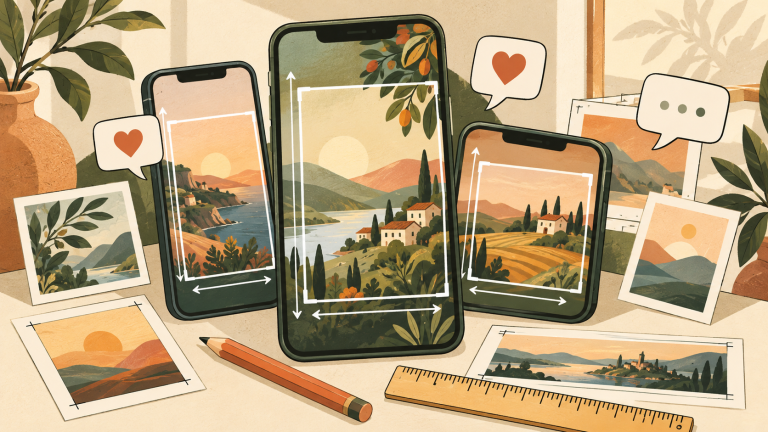
This is easy to confuse with 1080 × 1350. That older 4:5 recommendation is not suddenly invalid: it is still widely used, fills most of the mobile feed, and fits many established design systems. The difference is height. A 3:4 image is 90 pixels taller at 1080-pixel width, giving editorial photography, infographics and product images slightly more vertical room.
1080 × 1440 vs 1080 × 1350
| Question | 1080 × 1440 | 1080 × 1350 |
|---|---|---|
| Ratio | 3:4 | 4:5 |
| Feed height | Taller | Slightly shorter |
| Best use | Photography, editorial graphics, maximum portrait area | Reusable templates, ads and multi-platform design systems |
| Main risk | Older templates or preview surfaces may crop unexpectedly | Leaves a little supported height unused |
Choose 1080 × 1440 when the additional height strengthens the composition. Choose 1080 × 1350 when consistency with an existing 4:5 workflow matters more. Do not stretch a finished 4:5 design to 3:4; extend the background and reposition the subject instead.
Carousel sizing: keep every slide consistent
For a carousel, build every slide on the same canvas. Mixing square, 4:5 and 3:4 source files can create unintended crops or inconsistent framing. Decide the ratio before designing slide one, then use shared guides for the headline, subject, page number and call to action.
- Create one 1080 × 1440 or 1080 × 1350 master template.
- Keep critical text comfortably inside all four edges.
- Use one idea per slide and make the first slide understandable without the caption.
- Export every page in the same color space and file format.
- Preview the complete sequence on a phone before publishing.
For document-style storytelling on another platform, compare this workflow with our LinkedIn PDF carousel guide.
Stories and Reels still need a 9:16 master
A tall feed photo is not a replacement for a Story or Reel canvas. Stories and Reels are designed around 9:16 vertical media, normally 1080 × 1920. If you reuse a 3:4 feed design, extend it to a new 9:16 layout rather than scaling until text reaches the edges.
Use our Instagram Reels export settings for video codec, frame-rate and bitrate guidance. Then check the vertical-video safe-zone guide so captions, buttons and profile information do not cover the message.
Export settings for sharp Instagram images
- Width: 1080 pixels for standard feed delivery.
- Color: sRGB for predictable web and mobile display.
- JPG: best for photography; use a high but not excessive quality setting.
- PNG: useful for flat graphics, screenshots and text-heavy artwork.
- Sharpening: inspect at 100% and phone size; avoid heavy halos.
- Upload quality: enable Instagram’s highest-quality upload setting when available.
Instagram resizes and recompresses uploads. You cannot prevent processing, but you can avoid giving it a weak source. Start with the correct dimensions, remove unnecessary metadata, use clean gradients and inspect small text after upload.
Design for multiple previews
The published post, profile grid, search result and shared preview may not show identical crops. Keep the main subject and core message near the center, and avoid placing essential text against the extreme top or bottom. A technically supported ratio does not guarantee that every discovery surface will display every pixel.
Accessibility also matters. Add a description that communicates the information a sighted viewer receives from the image. Our social media alt-text guide includes practical examples for charts, screenshots and promotional graphics.
MSL worked example: 3:4 adds 90 pixels of height
At 1080px wide, 4:5 is 1350px high and 3:4 is 1440px high: a difference of 90 pixels. Stretching a 4:5 design vertically can distort faces and logos. I would enlarge the canvas instead, add 45 pixels of background above and below, or recompose the photograph.
On October 14, 2026, we selected 3:4 and width 1080px in the MSL image-dimension tool in a signed-out browser and observed 1080×1440px. This checks the calculation, not Instagram cropping or published appearance.
My checks when adding background space
- Keep a copy of the original; avoid different horizontal and vertical scale factors.
- Set the canvas to 1080×1440px and centre the subject.
- Inspect the boundary between the original photo and added background, plus title and logo positioning.
- Check the destination’s preview and each relevant display surface.
The dimension tool only calculates sizes. Use an image editor to transform or crop the image.
Common mistakes
- Calling 1080 × 1440 a 4:5 image. It is 3:4.
- Building every placement from one canvas and accepting automatic crops.
- Mixing ratios inside one carousel.
- Using tiny text that is readable only in the editor.
- Stretching an existing design instead of recomposing it.
- Assuming the profile-grid crop equals the full feed display.
FAQ
What is the best Instagram portrait size in 2026?
Use 1080 × 1440 for a full 3:4 portrait feed photo. Use 1080 × 1350 when you need a familiar 4:5 format that fits an established template or cross-platform workflow.
Will Instagram crop a 1080 × 1440 image?
The full 3:4 image is within Instagram’s stated feed-photo range, but profile-grid and discovery previews can use different framing. Keep essential content away from the edges and review the live result.
Should every carousel slide be 1080 × 1440?
If you choose 3:4, use it consistently for every slide. A uniform canvas prevents unexpected transitions and makes template alignment easier.
Is 1080 × 1920 suitable for a feed photo?
No. That is a 9:16 canvas intended for Stories and Reels. Recompose the asset to 3:4, 4:5, square or another supported feed-photo ratio.
References
- Instagram Help Center: Image resolution of photos you share on Instagram
- Instagram Help Center: Reel size and aspect ratios
Observed dimension check: cropping 3:4 to 4:5
On October 15, 2026, the automation assistant used the MSL dimension calculator without signing in, holding width at 1080 pixels and switching between 3:4 and 4:5. This is a calculator check, not an Instagram app upload or image-quality test.
| Ratio | Observed dimensions | Centered crop |
|---|---|---|
| 3:4 | 1080×1440 px | Original portrait image |
| 4:5 | 1080×1350 px | Remove 90 px vertically: 45 px from each edge |
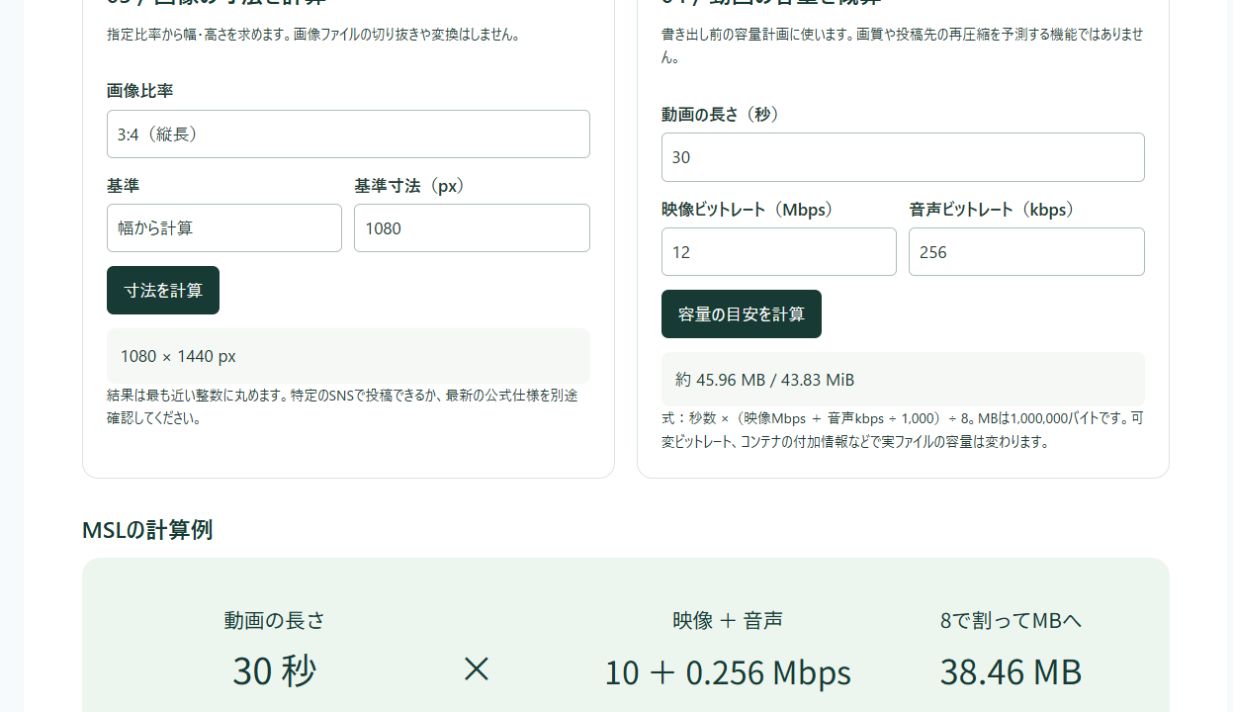
The worksheet provides dimensions and centered-crop calculations, with blank fields for actual exported dimensions, text margins and upload previews. A top-aligned or bottom-aligned crop requires a different placement.
Download the free exercise kit (ZIP) — 05-image-ratio-record.csv
My editorial decision
I would check whether essential text or logos occupy the top or bottom 45 pixels before reusing the image. Cropping while preserving proportions or making a second layout avoids distortion caused by simply compressing the height. I would inspect the profile grid separately from the full post.